
Less waste.
More making.
Turn your parts list into a smarter cutting plan. Make the most of your plywood, MDF, and lumber—before the first cut.
For iPhone & iPad. Optional in-app purchases.
From a few numbers
to your next build.
Your project is complicated enough. Getting a cut plan shouldn’t be.
Add your parts.
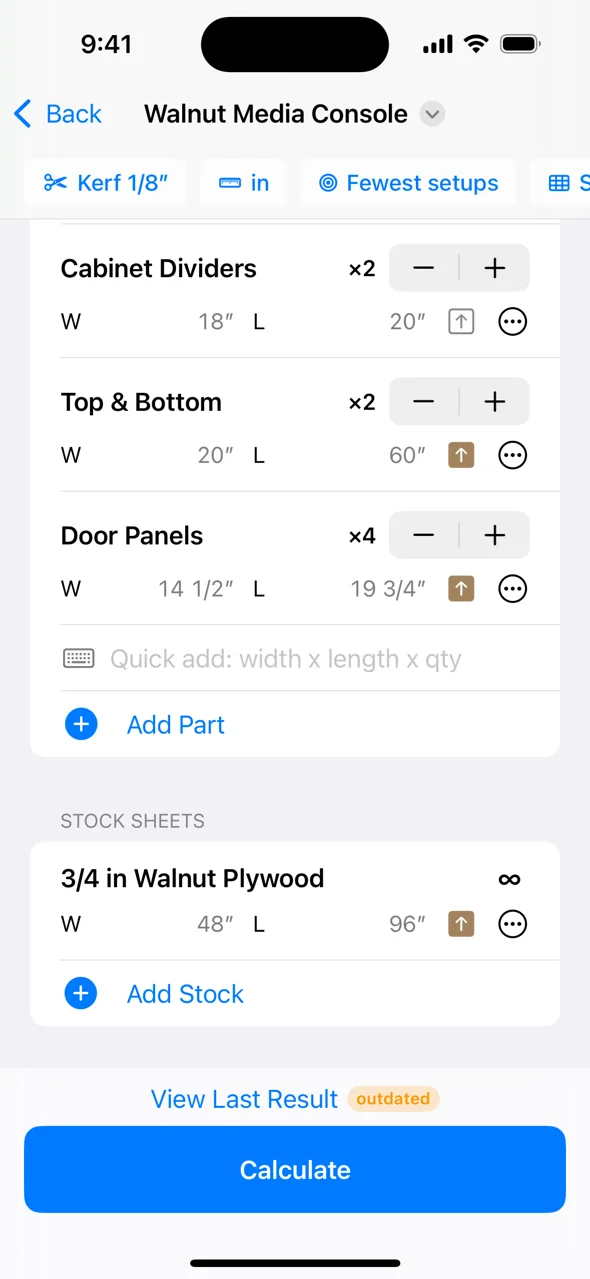
Enter the dimensions and quantities of every part. Use the fractions on your tape measure, or work in millimeters.
Make the material count.
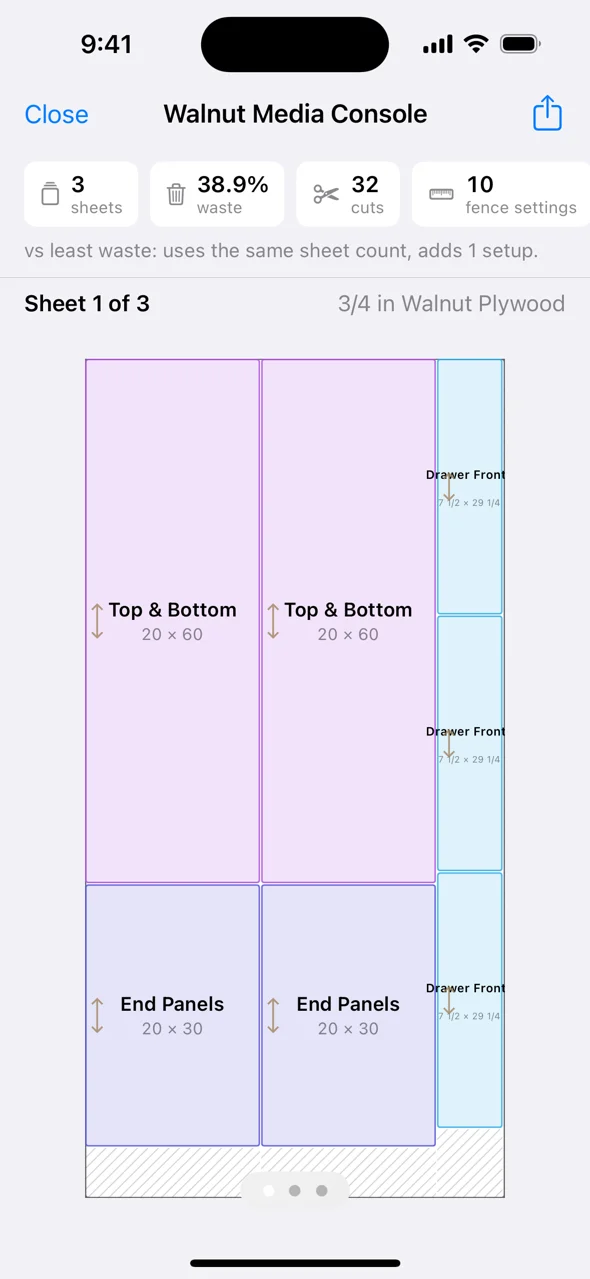
Add your stock and blade kerf. Compare layouts for least waste or fewer saw setups, with grain direction kept in mind.
Take it to the shop.
Follow labeled sheet diagrams and an ordered cut sequence. Export a PDF plan with printable part labels.
Real workshop details.
Already accounted for.
From the first measurement to the final offcut, keep the details together.
Your tape measure speaks fractions. So do we.
Enter exact fractions at 1/8, 1/16 or 1/32 precision, or use metric dimensions. No mental decimal conversion.
The blade takes a little. We count it.
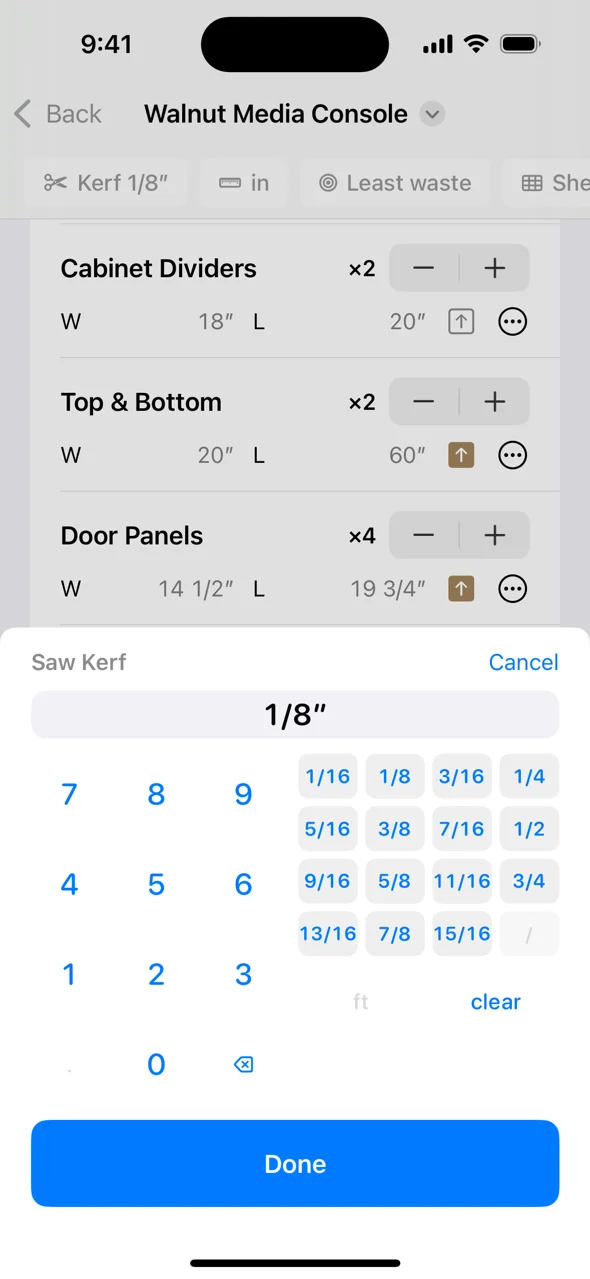
Kerf-aware layouts leave room for the material removed by the blade. Lock grain direction for the parts that need it.
Less waste. Or fewer fence adjustments.
Compare two optimization goals. Choose material efficiency or group rip widths to simplify saw setups.
The useful tools, all in one place.
Calculate board feet, shelf spacing, fractions, picture frames and edge banding. Keep building when the shop has no signal.
A little planning. A lot less guesswork.
What is a cut list, and why do you need one?
A cut list connects your woodworking design to the material you buy. Learn what to include, when to make one, and how it differs from a cutting layout.
Read the guide ↗MeasurementsSaw kerf explained: the missing space in a cut list
Understand saw kerf with a worked example, learn how to measure your actual cut, and avoid a common plywood planning mistake.
Read the guide ↗Material detailsGrain direction in a cut list: when rotation matters
Learn when to lock grain direction for plywood and solid-wood parts, and why a lower waste percentage may not produce the right appearance.
Read the guide ↗Before you head
to the workshop.
What is CutList Pro?
CutList Pro is a cut list optimizer for iPhone and iPad. It turns part dimensions and available stock into cutting layouts for sheet goods and dimensional lumber.
Does it work with plywood and lumber?
Yes. CutList Pro has modes for sheet goods such as plywood and MDF, and for dimensional lumber. Enter the actual stock sizes available for your project.
Can I use it without an internet connection?
Cut planning works offline, without a CutList account. Purchases, purchase restoration, and iCloud sync require an internet connection.
Does it account for saw kerf and grain direction?
Yes. Set your blade kerf and lock grain direction per part. Review the layout against your actual material and equipment before cutting.
Is CutList Pro free to download?
The app is free to download with optional Pro purchases. The App Store and the in-app purchase screen show the current features, limits, plans and prices for your region.
Can I print my cut list?
Yes. Export PDF cut plans with diagrams, a cut list and printable part labels. Pro includes watermark-free PDF exports.
Your next project starts with a better cut list.
Get the dimensions out of your head and a clear plan into your hands.
Download on theApp Store